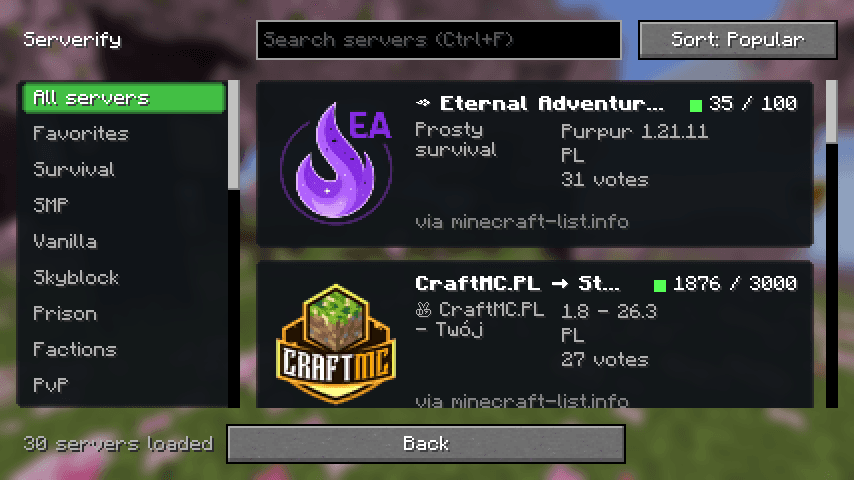
What you get
- Browse without leaving the gameA server browser with large cards, categories, search and sorting, built into the Multiplayer screen.
- Live statusReal ping, player count, version and the server's own MOTD, refreshed automatically.
- Join or saveConnect straight away, or add the server to your Multiplayer list in one click.
- FavoritesKeep the servers you like in a local list that works offline.
- Several sourcesminecraft-list.info first, then more sites, with duplicates removed.
- Private by designClient-side only. No account, no telemetry.
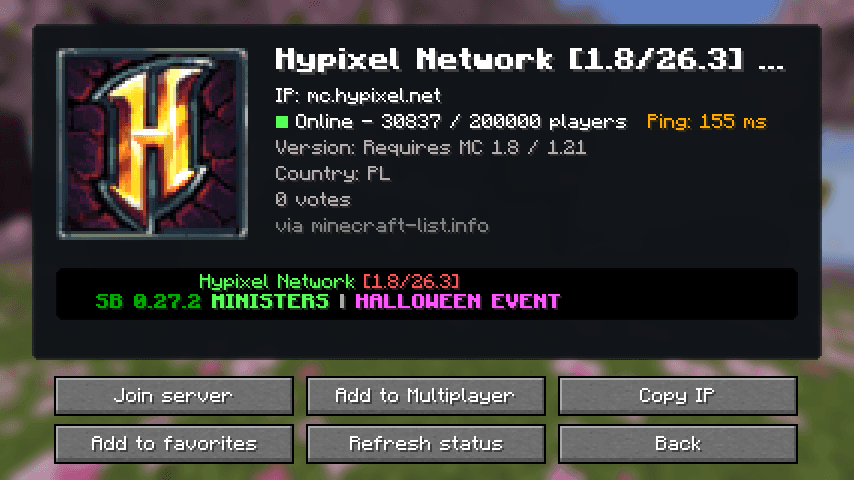
Install
- Install Fabric Loader for your Minecraft version.
- Download Fabric API for the same version.
- Put both files, plus the Serverify download above, in your
.minecraft/modsfolder. - Start the game, open Multiplayer and press the Serverify button.
Optional: Mod Menu adds a settings screen. Each download works for the Minecraft versions in its name (for example 26.1.x covers 26.1, 26.1.1 and 26.1.2).